In scenarios such as electronic manufacturing (e.g., laptop OEMs, industrial computer production) and enterprise IT deployment, system installation (including operating systems, drivers, and application software) is a core step before equipment delivery. The traditional manual system installation relies on manual operations, while the automated cloning system (represented by JMEGA PCIe duplicators) achieves automated deployment through hardware acceleration and parallel processing. The differences between the two in terms of efficiency, cost, quality, and other dimensions directly determine the production and delivery capabilities and the stability of terminal equipment.
I. Traditional Manual Installation vs. Automated Cloning System
The traditional manual system installation (typically using "USB boot drives for one-by-one installation") and the automated cloning system (represented by JMEGA PCIe duplicators) have fundamental differences in four core dimensions: efficiency, cost, quality, and compatibility. The specific comparison is as follows:
|
Comparison Dimension
|
Traditional Manual System Installation
|
Automated Cloning System (JMEGA PCIe Duplicator)
|
|
Deployment Speed
|
Slow per device: A 30-50GB system image (including industrial software/drivers) takes 25-40 minutes per device, and parallel processing is not possible.
|
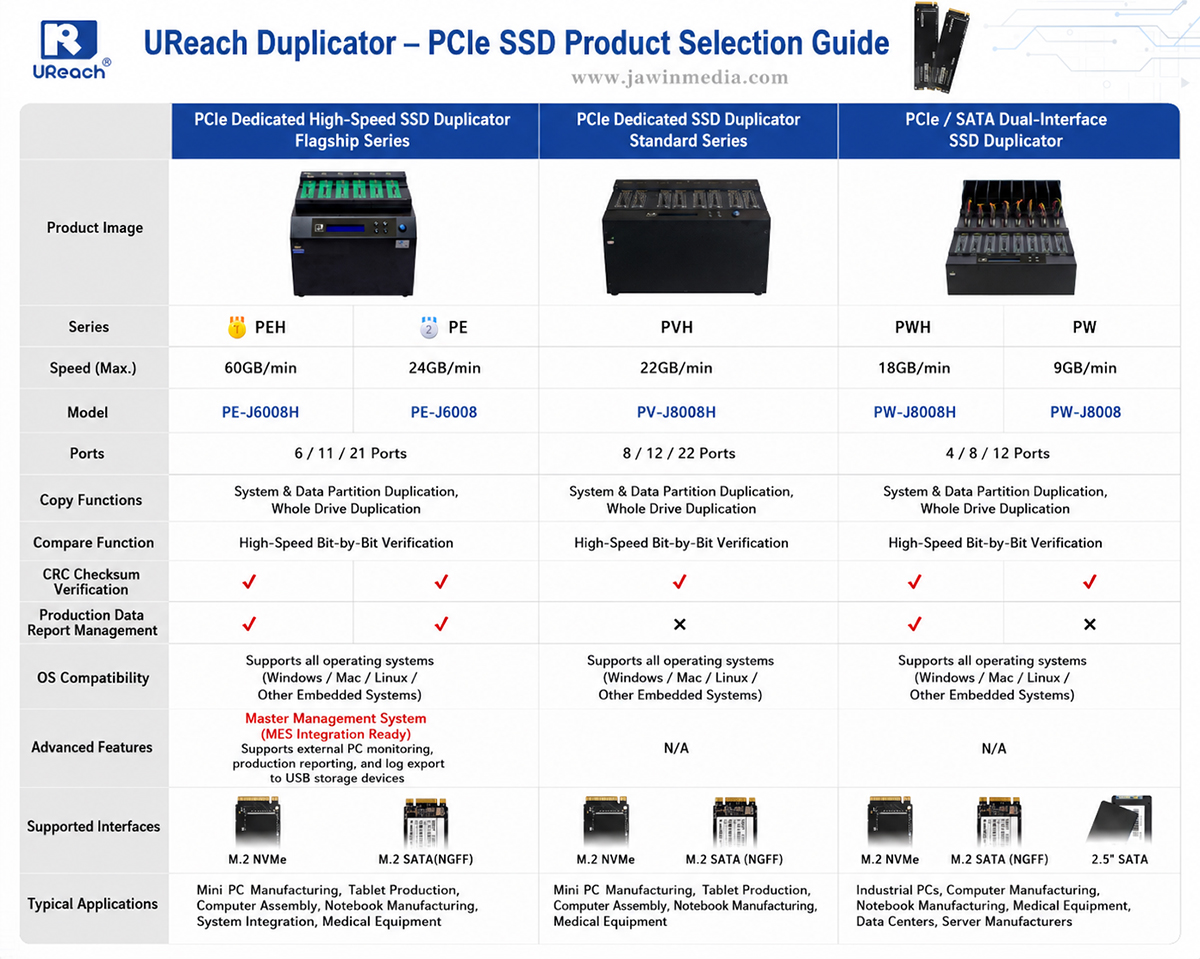
Multi-device parallel acceleration: Cloning a 30-50GB image per device takes only 30-50 seconds (e.g., PF-X600H reaches 60GB/min), supporting parallel processing of multiple devices.
|
|
Labor Cost
|
Relies on full-time operators: 1 operator is responsible for 2-3 devices, with a daily deployment of 20-30 devices per person, resulting in high labor costs.
|
Low manual intervention: 1 operator can monitor 2-3 duplicators, and a single duplicator can deploy over 1,000 devices per day, reducing labor costs by more than 70%.
|
|
Quality Stability
|
High error rate: Manual operations are prone to "driver mismatches," "software omissions," and "transmission interruptions," with a defect rate usually ranging from 5% to 10%.
|
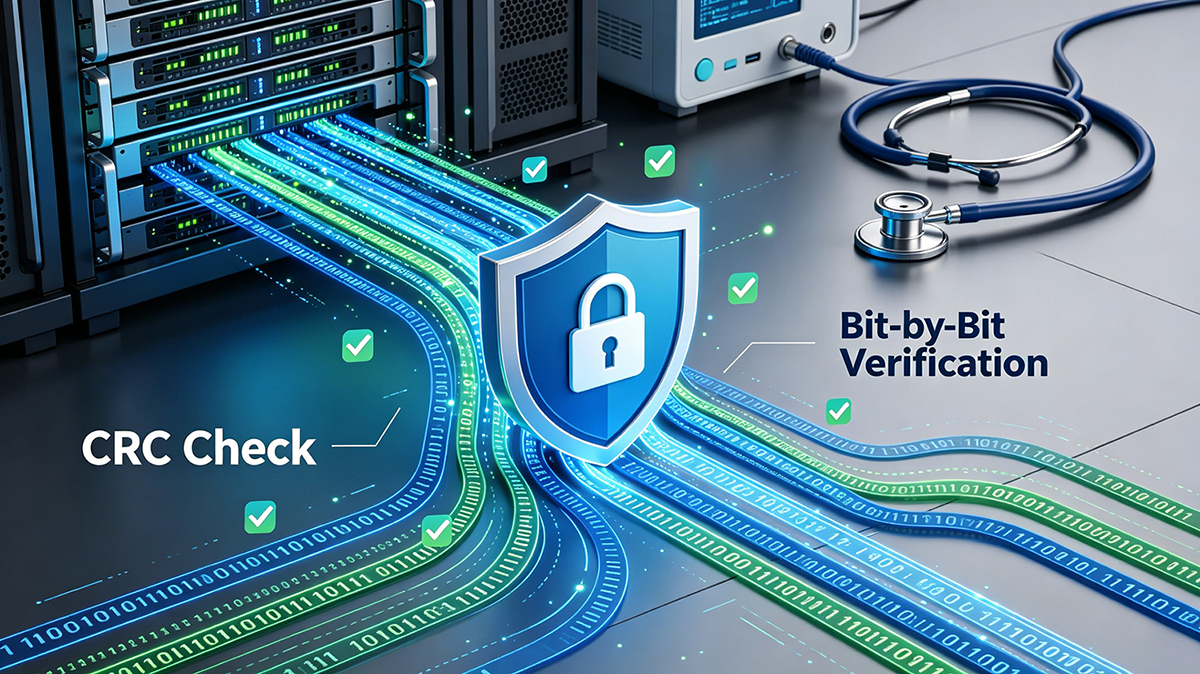
Zero manual errors: Built-in CRC verification and automatic log recording, with a defect rate ≤ 0.3% and 100% data integrity guarantee.
|
|
Batch Processing Capacity
|
No batch advantage: As the number of deployments increases, the time consumption increases linearly (e.g., 100 devices take 2,500-4,000 minutes).
|
Doubled batch efficiency: 100 devices can be processed in only 10 minutes using a 6-channel duplicator, with time consumption close to that of a single device (due to parallel processing).
|
|
Compatibility
|
Weak adaptability: Different boot drives need to be prepared for different hardware (NVMe/SATA/NGFF), and the switching process is complicated.
|
Full coverage of multiple interfaces: Supports interfaces such as NVMe/NGFF, and a single device can be compatible with multiple hardware models without switching tools.
|
|
Traceability
|
No traceability: No data records, making it impossible to locate the "installation time/operator/master disk version" when problems occur in terminal devices.
|
Full-process traceability: Automatically generates LOG reports, recording master disk information, cloning time, and verification results, and supports MES system integration.
|
|
Environmental Adaptability
|
Greatly affected by the environment: Operators need to work in a clean environment, and dust/noise can easily lead to operational errors.
|
Industrial-grade stability: Metal casing for dust prevention, supports an operating temperature range of 0-45℃, can run continuously for 72 hours, and is suitable for workshop environments.
|
II. Quantitative Efficiency Analysis: Taking "Deployment of 100 Industrial Computers" as an Example
To intuitively show the efficiency difference, we take the scenario of "an industrial computer factory deploying 100 devices" (with a 35GB system image including Windows 10 IoT, industrial control software, and sensor drivers) to compare the time consumption, cost, and production capacity of the two methods:
1. Traditional Manual System Installation: Prominent Efficiency Bottlenecks
• Deployment Time: It takes 30 minutes per device. One operator handles 2 devices at the same time, so 5 operators need to be arranged (100 devices ÷ 2 devices per person = 50 person-devices; 50 person-devices ÷ 10 devices per person per hour = 5 hours). The actual total time is about 6 hours (including manual handover and boot drive replacement time).
• Labor Cost: Calculated based on an operator's monthly salary of 6,000 yuan (200 yuan per day for 8 hours), the cost for 5 operators working 6 hours = 5 × (200 ÷ 8) × 6 = 750 yuan.
• Defect Cost: Based on a 7% defect rate, 7 devices need rework. Each rework takes 30 minutes plus a labor cost of 50 yuan. The total rework cost = 7 × (50 + 25) = 525 yuan (25 yuan is the time loss cost).
• Total Input: Time consumption is 6 hours, total cost is 750 + 525 = 1,275 yuan, and the daily production capacity is only 133 devices (8 hours ÷ 6 hours × 100 devices).
2. Automated Cloning System (JMEGA PF-X600H): Doubled Efficiency
• Deployment Time: Cloning a 35GB image per device takes only 35 seconds. With 6-channel parallel processing, each batch of 6 devices takes 35 seconds. 100 devices require 17 batches (100 ÷ 6 ≈ 17), and the total time = 17 × 35 seconds ≈ 10 minutes (including hard disk insertion/removal and device startup time).
• Labor Cost: One operator monitors one duplicator. The cost for 6 hours = (200 ÷ 8) × 6 = 150 yuan (actually, the task is completed in 10 minutes, so the labor cost is only 8.3 yuan, but it is calculated based on a full 6 hours here).
• Defect Cost: Based on a 0.3% defect rate, 0.3 devices (1 device in practice) need rework. The rework takes 35 seconds plus a labor cost of 1 yuan. The total rework cost ≈ 10 yuan (including hard disk inspection).
• Total Input: Time consumption is 10 minutes, total cost is 150 + 10 = 160 yuan, and the daily production capacity reaches 5,760 devices (8 hours × 60 minutes ÷ 10 minutes × 100 devices).
Summary of Efficiency Gap
The comparison shows that in the scenario of "deploying 100 industrial computers," the automated cloning system:
• Reduces time consumption by 97% (from 6 hours to 10 minutes);
• Lowers total cost by 87.5% (from 1,275 yuan to 160 yuan);
• Increases daily production capacity by 42 times (from 133 devices to 5,760 devices);
• Decreases the defect rate by 95.7% (from 7% to 0.3%).
III. Scenario Adaptation: Applicable Boundaries of the Two Methods
From the efficiency comparison, the automated cloning system has significant advantages in most scenarios, but it is not necessary to prioritize it in all scenarios. It is necessary to determine which method is more suitable based on three factors: "deployment scale, hardware consistency, and cost budget."
1. Traditional Manual System Installation: Only Suitable for "Small-Scale, Low-Frequency" Scenarios
In the following scenarios, the traditional manual system installation can be used temporarily (but it is still recommended to upgrade to the automated cloning system in the long run):
• Deployment scale < 10 devices per time: For example, the enterprise IT department replaces computers for a small number of employees, or conducts testing on R&D prototypes in the laboratory (no need for batch efficiency, and hardware models are scattered);
• Greatly different hardware: Each device has completely different motherboards, hard disk interfaces, and software requirements (e.g., customized scientific research equipment, without a unified system image, making batch cloning impossible);
• Short-term temporary needs: No long-term deployment plan (e.g., equipment borrowed for temporary projects needs to be formatted immediately after deployment, without the need for traceability and stability guarantees).
Note: Even in such scenarios, manual installation still bears the "risk of errors" — for example, R&D prototypes may have deviations in test data due to driver mismatches, which instead increases time costs.
2. Automated Cloning System: Adaptable to "Large-Scale, High-Requirement" Core Scenarios
In the following scenarios, the automated cloning system is the only "efficient and reliable" choice and can bring long-term cost savings:
• Electronic manufacturing factories (mass production): Such as laptop OEMs (with a daily production capacity of over 500 devices) and industrial computer production (with a daily production capacity of over 300 devices). These scenarios need to break through production capacity bottlenecks through parallel processing and meet customer traceability requirements at the same time;
• Industrial automation deployment: For example, the deployment of a cluster of more than 50 industrial computers in an intelligent factory requires ensuring the system consistency of each device (to avoid production line shutdowns caused by differences in software versions);
• Batch deployment in data centers/enterprise IT: For example, when an enterprise adds more than 200 office computers, it is necessary to quickly pre-install the system and office software, and record device deployment information through LOG reports to facilitate later IT operation and maintenance;
• Scenarios requiring high stability: Such as medical equipment and energy monitoring equipment, which need to ensure 100% system integrity (CRC verification to avoid equipment failures caused by data errors).
Typical Case: After a leading domestic laptop OEM factory introduced the JMEGA PF-X600H, its daily production capacity increased from 400 devices to 3,000 devices, the delivery cycle was shortened from 15 days to 3 days, and the annual labor cost was saved by more than 2 million yuan.
IV. Why is the Automated Cloning System Better?
The efficiency advantage of the automated cloning system is not simply "replacing manual labor," but a systematic improvement based on hardware architecture innovation and process standardization:
1. Hardware Acceleration Breaks Through Physical Bottlenecks: Traditional manual installation relies on USB 3.0 (with a theoretical speed of 5GB/min), while JMEGA duplicators adopt PCIe channels + customized control chips, with an actual cloning speed of 60GB/min, which is 12 times that of USB;
2. Parallel Processing Breaks Linear Time Consumption: Manual installation is "serial processing" (the next device can only start after the previous one is completed), while the automated cloning system supports parallel processing of multiple devices (each device has an independent channel and does not share bandwidth), so the time consumption is close to that of a single device;
3. Automation Eliminates Manual Errors: Problems such as "driver mismatches" and "software omissions" in manual installation are essentially "uncertainties in manual operations." The automated cloning system achieves "consistency in cloning" through "unified images + CRC verification," eliminating errors from the source;
4. Traceability Reduces Later Costs: When problems occur in terminal devices, manual installation makes it impossible to locate the cause, requiring full-scale inspection; the LOG report of the automated cloning system can locate the "master disk version/cloning time/operator" in 1 minute, shortening the problem troubleshooting time from 7 days to 1 hour and significantly reducing after-sales costs.
Conclusion: Core Conclusions on Efficiency Selection
1. From the perspective of the essence of "efficiency": The automated cloning system comprehensively surpasses the traditional manual system installation in the three dimensions of "speed, cost, and quality." Especially in large-scale scenarios, the efficiency gap can reach 10-50 times, making it a "standard tool" in fields such as electronic manufacturing and industrial automation;
2. From the perspective of "scenario adaptation": Manual installation can only be used temporarily in "small-scale, low-frequency, and scattered hardware" temporary scenarios. In other scenarios (especially those with a daily deployment of more than 10 devices), choosing the automated cloning system can achieve "short-term efficiency improvement and long-term cost reduction";
From the perspective of "technological trends": With the increase in system image capacity (e.g., industrial software increasing from 10GB to 50GB) and higher customer requirements for traceability (e.g., international brands mandating LOG reports), the traditional manual system installation will be gradually phased out, and the automated cloning system will become the industry mainstream.